Why the Terminal Window Is Essential for Monitoring Your Trading Account
Charts attract most of the attention because they show movement, structure, and potential entries. Yet a trader can read the market correctly and still mismanage the account if open exposure, available margin, and execution details remain out of view. The quieter part of the platform often carries the information that determines whether a position is sustainable.
In metatrader 4, the Terminal window gathers live trades, pending orders, account figures, historical activity, alerts, and platform messages in one place. It is less visually dramatic than a candlestick chart, but it answers a more immediate question: what is happening to the account right now?
Beginners often treat the window as an administrative panel to check after trading. Experienced traders tend to keep it visible because account conditions can change faster than the original analysis.
The Trade Tab Shows the Account as a Portfolio
The Trade tab displays balance, equity, margin, free margin, and margin level alongside every open position. Those figures should not be read separately. Balance records closed results, while equity includes the floating profit or loss on positions that remain open. A profitable balance can therefore sit above deteriorating equity.
That distinction becomes important when several trades share the same market driver. A long EUR/USD position and a short USD/CHF position may appear on different chart windows, yet both can lose if the dollar strengthens. The Terminal makes the combined effect visible through equity and free margin.
One trade may look harmless. Five related trades can quietly become one large bet.
Margin figures add another layer. As floating losses reduce equity, the margin level falls even if no new orders are placed. A trader concentrating only on charts may notice that each setup is still technically valid while missing that the account has little capacity left to absorb volatility.
Execution Details Reveal the Real Position
Every live order row shows the entry price, position size, stop-loss level, take-profit level, current price, and floating result. This is where assumptions meet actual execution. A trader may remember entering near a support level, but the recorded fill can be several points away during a fast market.
Suppose a US inflation report exceeds expectations. EUR/USD breaks below an overnight consolidation, spreads widen, and a sell order fills below the intended entry. Price continues lower, but the trade shows only a modest gain because part of the move was lost to slippage and the wider spread. Looking at the candle alone suggests a strong entry. The order row tells a less flattering story.
The counterintuitive lesson is that a correct directional call can still be a poor trade. Entry quality, transaction costs, position size, and exit placement determine how much of the market move reaches the account.
Pending Orders Need Active Supervision
Pending orders can outlive the reasoning that created them. A buy stop placed above yesterday’s high may remain active after a weak economic release changes the market tone. If the trader forgets the order, a later liquidity sweep can trigger a position that no longer fits the original plan.
The Trade tab makes these dormant instructions visible. Expiration times, entry levels, and attached protective orders can be reviewed without searching through several charts. This matters when traders follow multiple instruments or carry orders from one session into the next.
Why keep an order merely because the platform still accepts it?
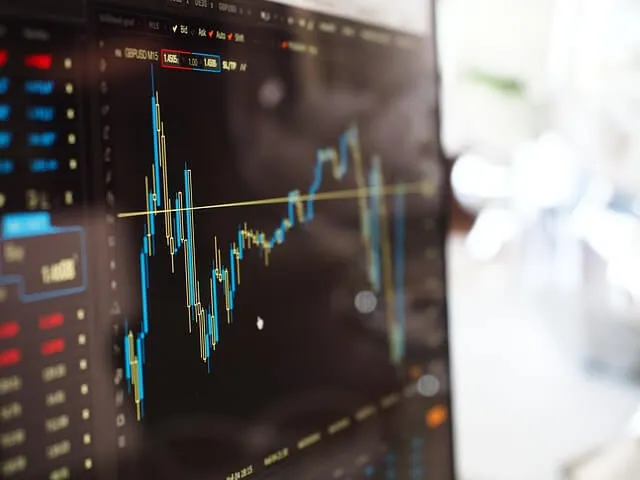
Image Source: Pixabay
Experienced traders often cancel untouched orders when the catalyst has passed, volatility has changed, or the stop distance no longer supports the planned position size. The market did not necessarily invalidate the price level. The context around that level changed.
History and Messages Complete the Record
The Account History tab shows closed trades, deposits, withdrawals, swaps, commissions, and realized results. A chart screenshot cannot reveal whether repeated overnight charges gradually weakened an otherwise profitable strategy. Nor can memory reliably reconstruct partial closures or several rapid exits during volatile trading.
The Journal and Experts tabs provide a different kind of evidence. Rejected orders, connection interruptions, automated strategy messages, and platform errors may appear there. When an expected trade does not execute, these records help distinguish a technical issue from a missed setup.
Before the next session, arrange metatrader 4 so the Terminal remains visible beneath the charts. Check equity against balance, group correlated positions, confirm every stop and pending order, and scan the Journal after any unusual execution. That 60-second review gives a clearer account picture than another indicator added to an already crowded chart.